What the integration does
Once connected, Market Ready Turn keeps your turnover work and your Rentec Direct account in step, so your team never enters the same data twice:
- Properties import from Rentec — no re-typing addresses.
- Owners come in with each unit, so the owner-approval step is pre-filled.
- Vendors come from your Rentec vendor directory — assign repairs to the crews you already use.
- Work orders you create in Market Ready Turn push back into Rentec with one tap — on the right property, assigned to the right vendor.
Create your Market Ready Turn account
- Go to marketreadyturn.com and click Log in, then choose Create your company on the sign-in screen.
- Enter your company name, your name, email, and a password, then click Create company.
Whoever creates the company becomes its Super Admin — the person who connects Rentec and manages the account.
Confirm your email
Check your inbox for the confirmation email, click the link to verify your account, then sign in to finish setting up your company.
Create a Rentec Direct API key
Do this once, inside Rentec Direct:
- Log in to Rentec Direct.
- Go to Settings → Tools.
- Under Tools, click Utilities.
- On the Utilities page, click the purple API Keys button.
- Click Add API Key.
- For the type, choose Rentec API (v3).
- In the Name field, enter Market Ready Turn (so you'll recognize it later).
- Set the permissions to exactly these:
| Data | Permission | Why |
|---|---|---|
| Properties | Read | Import your units |
| Owners | Read | Auto-fill the owner on each unit |
| Vendors | Read | Import your vendor directory |
| Work Orders | Read + Write | Push work orders back into Rentec |
| Files | Read + Write | Attach the vendor work order PDF to the work order once it's pushed |
- Click Generate.
- Copy the key it shows you — you'll paste it into Market Ready Turn next.
Connect Rentec Direct
You do not paste the key to sign up — you can start your plan and connect whenever you like, and it costs the same either way. When you're ready, in Market Ready Turn go to Settings → Property management software → Rentec Direct:
- Choose Rentec Direct.
- Paste your Rentec API key and click Connect & verify units.
- Market Ready Turn validates the key against Rentec and counts your units — if it's mistyped or missing a permission, you'll get a clear message right away.
Your key is stored encrypted on the server, tied to your company — it never lives on a device.
How your subscription is billed
Every plan is billed per unit in arrears: at the end of each billing period, on an average of a door count we read once a day from the units in your account. Nothing is charged on the day you start, and there is no activation charge.
Connecting Rentec is not what decides your bill, and it is not required. Units brought in from a spreadsheet or added by hand are billed exactly the same way. Connecting Rentec simply keeps your units in step with your Rentec account automatically.
You're in — here's what happens now
- Starting an inspection: an Import from Rentec Direct picker appears — choose a unit and the address, city, state, ZIP, and owner autofill.
- Assigning repairs (Phase 2) and cleaning (Phase 4): assign to your Rentec vendors, then tap Push work order to Rentec to create the work order in your Rentec account — no double entry.
- Keeping your door count current: your unit count re-verifies against Rentec automatically, so billing always reflects your real portfolio.
Getting help inside the app
- User Guide: a full walkthrough of every part of Market Ready Turn lives right on your home screen — open User guide under Tools.
- Ask AI: the Ask AI button (bottom-right on every screen) answers any question about how to use the app, in plain language. Stuck on a screen? Upload a screenshot of exactly what you're looking at and Ask AI will read it and tell you what to do next, step by step.
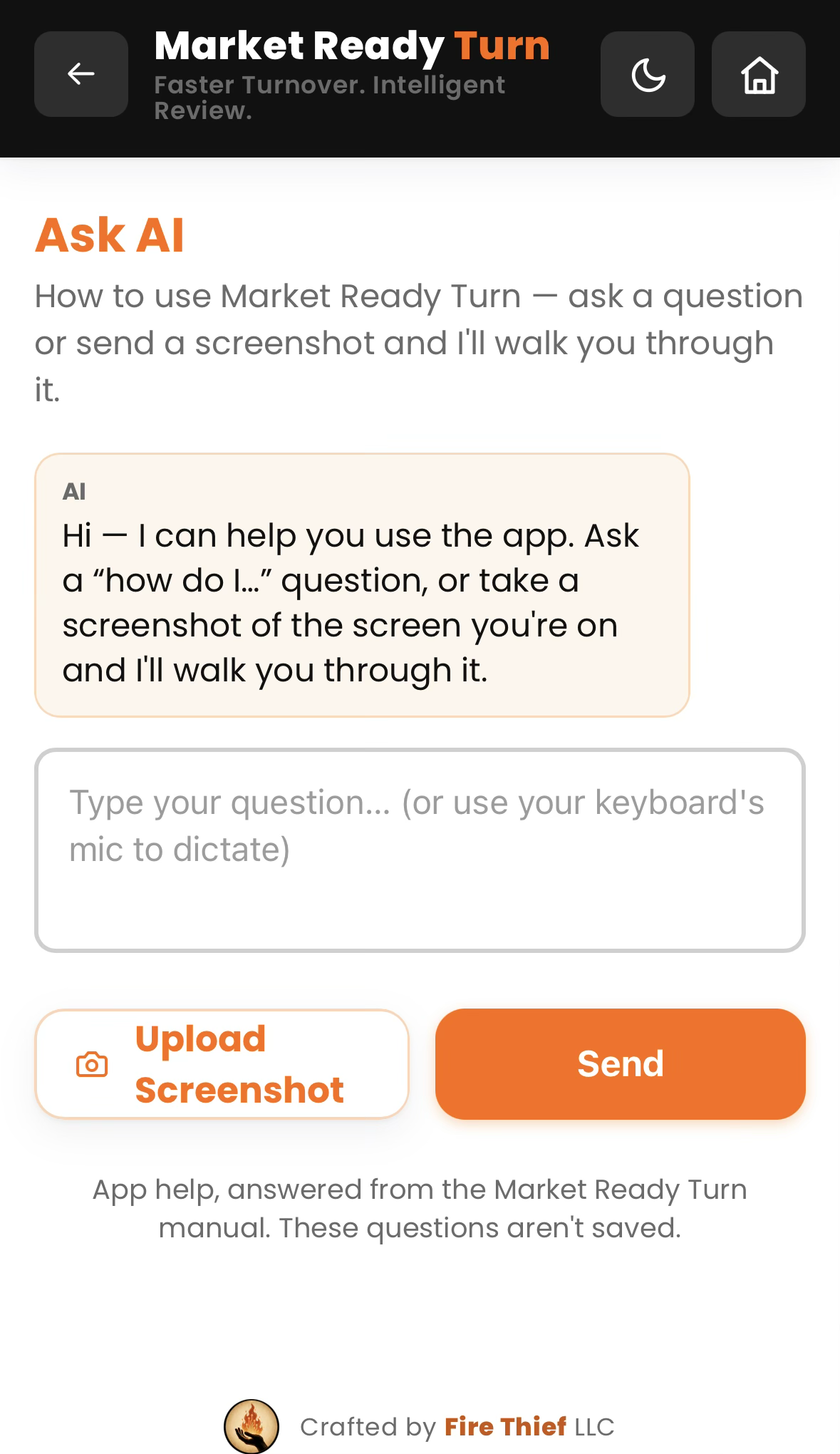
Ask AI, right in the app — type a question or upload a screenshot of the screen you're on, and it tells you exactly what to do next.
Troubleshooting
The owner is blank when I pick a property.
Your API key is missing the Owners → Read permission. Add it on the key in Rentec (Settings → Tools → Utilities → API Keys), then reconnect.
A property shows as just a unit name with no address.
That unit's street address isn't filled in on its Rentec record. Add it in Rentec — Market Ready Turn's Scan property data tool flags any units missing an address.
“Push work order to Rentec” doesn't appear.
It shows only when the unit was imported from Rentec and the assigned vendor is one of your Rentec vendors. Import the unit / link the vendor, and confirm the key has Work Orders → Write.
The work order pushed fine, but the PDF didn't attach.
Your key is missing Files → Write. This is the single most common Rentec key mistake — Read is checked by default on most rows, but Write is not. Edit your key in Rentec (Settings → Tools → Utilities → API Keys), check both Read and Write on Files, then reconnect / verify permissions in Market Ready Turn.
Something else?
Reach us at support@marketreadyturn.com.